

Matter Smart Home is finally changing the rules for frustrated smart home owners aiming for universal device compatibility in 2024—yet even this “universal” fix still has hidden challenges, real upgrade costs, and patchwork results you must understand before making the leap.
Key Takeaways
- Matter in 2024 now appears in over 40% of new smart home device launches, yet migration from older Zigbee and Z-Wave gear can still get messy and expensive.
- Upgrading to full Matter compatibility averages $950–$1,400 per home—costs are lower if your key devices receive firmware updates.
- Thread routers, updated apps, and selective device upgrades provide the smoothest transition—partial upgrades might not unlock all the benefits.
- What is Matter Smart Home?
- Matter Compatible Devices 2024—Adoption and Leading Brands
- Transitioning to Matter—Common User Frustrations and Technical Barriers
- Connectivity Requirements and Compatibility Checklist
- Real-World Costs—Upgrading a Typical Home to Matter in 2024
- Innovative Features and Improvements in Matter-Compatible Devices (2024 Edition)
- What Competitors Miss: In-Depth Use Cases & Overlooked Realities
What is Matter Smart Home?
Matter is an open-source protocol—launched by Connectivity Standards Alliance and adopted by Apple, Google, Amazon, Samsung, and dozens more—built as a universal smart home standard. By mid-2024, over 40% of new smart home devices ship with Matter, making cross-platform compatibility more practical than ever.
Unlike Zigbee and Z-Wave, which often need proprietary hubs and rarely cooperate well, Matter was designed for out-of-the-box compatibility across iOS, Android, Alexa, Google Home, and more. Devices work in your preferred ecosystem, whether you’re an Apple HomeKit loyalist, prefer Alexa, or use Google Home.
Core benefits Matter unlocks:
- Lets you combine brands—Philips Hue and Nanoleaf bulbs, Eve, Nanoleaf, and more—without being locked into a single app or hub.
- Makes device onboarding faster, especially with Thread (low-power mesh networking).
- Reduces the risk of devices being “orphaned” after cloud shutdowns, thanks to local control.
Matter Compatible Devices 2024—Adoption and Leading Brands
Matter adoption is moving fast. In 2024, around 40% of new smart home devices support Matter from day one, with leading brands like Philips, Google, Amazon, and Eve doubling down. Matter-compatible lines now make up about 60% of their smart home shipments.
Top performing categories today include:
- Lighting: Philips Hue and Nanoleaf bulbs, panel lights, and dimmer switches work well out of the box with any Matter controller.
- Climate: Eve and Ecobee thermostats, AC controllers, and smart sensors now launch Matter-first models.
- Security: Amazon Echo devices, Yale locks, and Arlo sensors with Matter are part of new “starter” bundles.
Robot vacuum mops and smart appliances are joining in, though reliability and features can lag behind lights and switches.
Flagship specs to expect:
- Thread and Wi-Fi (sometimes Ethernet) as network transport.
- On-device multi-admin control (for easy sharing with family—no extra apps needed).
- Local automation with fallback (runs even when the cloud is down).
Brands like Nanoleaf, Eve, and Aqara are quick to add regular firmware updates to expand feature support, but check packaging and support lists before upgrading.
If you’re curious about adjacent smart home upgrades (e.g., projectors or innovative lighting), our breakdown of 4K smart projectors and next-gen robot vacuums also covers the latest Matter integrations.
Transitioning to Matter—Common User Frustrations and Technical Barriers
Migrating from a mix of Zigbee, Z-Wave, or Wi-Fi devices to Matter isn’t always seamless. In 2024, about 33% of early adopters report “setup confusion” or missing automations during the transition (VettedHomeGear, tech poll).
Top user frustrations:
- Device Onboarding: Some devices appear in the app but only partially work (buttons missing, sensors not updating instantly).
- Partial Feature Loss: Legacy products upgraded to Matter sometimes lose advanced automations or unique integrations previously set up in old hubs.
- Firmware Update Hassles: Devices often need manual firmware updates, and older hubs may never receive them, meaning users must replace either the device or the hub.
- Intermittent Compatibility: Even with Matter, advanced vendor features (e.g., Philips Hue dynamic scenes) may still only work via the vendor’s own app.
Remote access remains ecosystem-dependent and may require enabling cloud controls (sometimes with extra privacy or reliability tradeoffs). If your setup involves more than lights and plugs—such as open ear headphones or wearables—Matter won’t address their integration at all.
Connectivity Requirements and Compatibility Checklist
Matter devices typically use Thread, Wi-Fi, Ethernet, or Bluetooth LE for primary connectivity. Each has unique requirements:
- Thread: Requires a Thread border router (e.g., Apple HomePod Mini, latest Google Nest devices, or compatible Eero routers).
- Wi-Fi: Your network should support 2.4GHz and 5GHz bands for best reliability.
- Ethernet: Mostly for stationary hubs or high-bandwidth appliances.
- Bluetooth LE: Used for setup and fallback, not main control.
Limitations to watch for:
- Older Zigbee/Z-Wave sensors or bulbs need new bridges or phased replacement.
- Some platforms (e.g., Google Home vs. Apple Home) may support different subsets of Matter features, causing workflow gaps.
- Regularly update your smart home apps and hubs before pairing Matter devices.
Pre-Integration Checklist:
- Confirm your main hub or controller app has full Matter support (latest firmware and app version required).
- Install or activate a Thread border router for stable mesh networking. In 2024, 85% of smooth deployments use this setup.
- Review and list your existing smart devices. Check which ones support (or will support) Matter firmware updates.
- Be ready to replace legacy hubs that cannot be upgraded.
- Plan device pairing order: start with central devices (hubs, lighting), then add accessories (sensors, plugs).
If your setup includes innovative add-ons (like portable 4K monitors for smart displays), check for Matter-ready firmware or Thread compatibility before buying.
Real-World Costs—Upgrading a Typical Home to Matter in 2024
Migrating a mid-sized (12–15 device) smart home setup to Matter involves several cost factors in 2024:
- New Hubs: Matter-capable hubs or Thread border routers range from $70 (Google Nest Mini) to $200 (Apple HomePod Mini, advanced Eero routers).
- Core Devices: Matter-enabled bulbs, locks, thermostats, and appliances are $35–$150 per device (median $70).
- Device Bridges: Upgrades or new bridges for legacy Zigbee/Z-Wave equipment are $40–$100 each.
If your existing bulbs, locks, and switches are eligible for over-the-air Matter firmware updates, upgrading to full Matter support could only cost a few hundred dollars. But if you need to replace non-upgradable hardware, the median 2024 household spends between $950 and $1,400 for a comprehensive Matter migration. (source)
If you’re considering other premium upgrades—like a mini gaming PC for home streaming or an E-Ink tablet display for home controls—budgeting for Matter-first solutions keeps your ecosystem flexible as you scale.
Innovative Features and Improvements in Matter-Compatible Devices (2024 Edition)
Matter in 2024 brings features Zigbee and Z-Wave users have struggled to achieve:
- Improved Reliability: Devices operate locally—no more waiting on cloud responses or worrying about outages.
- Multi-Ecosystem Control: Choose Alexa, Google Home, or iOS interchangeably—72% of Matter users cite this as their favorite benefit in recent industry surveys.
- Local Fallback: If your internet goes down, automations keep running at home.
- Streamlined Onboarding: QR-based setup and multi-admin support lets family and guests join effortlessly.
- Presence Sensing: New sensors (from Eve, Aqara, etc.) use Matter to detect activity for smarter automations—but only in select ecosystems.
Some device makers release Matter-first features that legacy standards can’t match—like room-specific presence or environmental sensing that integrates with both your heating and security simultaneously.
Looking for a unique edge? Combine AR smart glasses with Matter for futuristic, context-aware home experiences—one of this year’s most exciting “cross use” areas.
What Competitors Miss: In-Depth Use Cases & Overlooked Realities
Not all Matter upgrades go smoothly, and reality can be more complicated than the marketing suggests. Here are three real-world scenarios you won’t see in most guides:
| Scenario | Reality | Actionable Advice |
|---|---|---|
| Partial Upgrade (some, not all, devices upgraded) | Old hubs and non-updated devices continue to require separate apps and manual automations. Scenes may break. Cross-platform benefits are limited. | Upgrade key “central” devices first (hubs, primary bulbs); hold off on minor accessories until they get Matter support or budget allows. |
| Vendor Lock-In Persists | Even after upgrading, advanced vendor features (e.g., Philips Hue scenes, Nanoleaf rhythm modes) remain available only in the native app, not via Matter. | Set expectations: Treat Matter apps as the new “baseline,” but keep vendor apps for maximum function until platforms catch up. |
| Apartment vs. Large Home Deployments | Small apartments usually need one Thread router, but in multi-floor homes, range/mesh issues can still limit device performance. | Place routers centrally and plan backup Wi-Fi links for edge-case devices. Consider upgrading home network to mesh before committing to large-scale Matter deployment. |
For migration help, community forums and real-user experience threads (like this Reddit discussion) give a reality check about what to expect beyond polished product pages.
Tip: Mix-and-match upgrades work, but trying to “piecemeal” everything can result in a fragmented setup. Make a transition plan and prioritize updates for your main control devices first.
How to Transition to a Matter Smart Home Step-by-Step
Ready for real-world, minimal-hassle advice? Here’s a proven step-by-step workflow to shift your multi-platform smart home toward Matter in 2024.
- Audit Existing Devices: List your current smart hubs, bulbs, locks, switches, and sensors. Identify which support (or may soon support) Matter.
- Upgrade Core Infrastructure: If none of your hubs are Matter-ready (e.g., Apple HomePod Mini, Google Nest Hub Max, or Eero 6+), invest in one. Install a Thread border router for mesh support wherever possible.
- Sequential Device Upgrades: Replace or update core lighting, climate, and lock devices first—these benefit most from Matter’s seamless pairing and automation.
- Update Apps/Firmware: Update all control apps and device firmware. Skipping this step is a leading cause of failed integrations.
- Add Devices to Matter: Use QR codes or Bluetooth for onboarding. Don’t rush—onboard one device per session, test, then proceed.
- Automate and Optimize: Check if previous automations (especially advanced or vendor-specific) still work. Rebuild workflows as needed using your new Matter “home base” app.
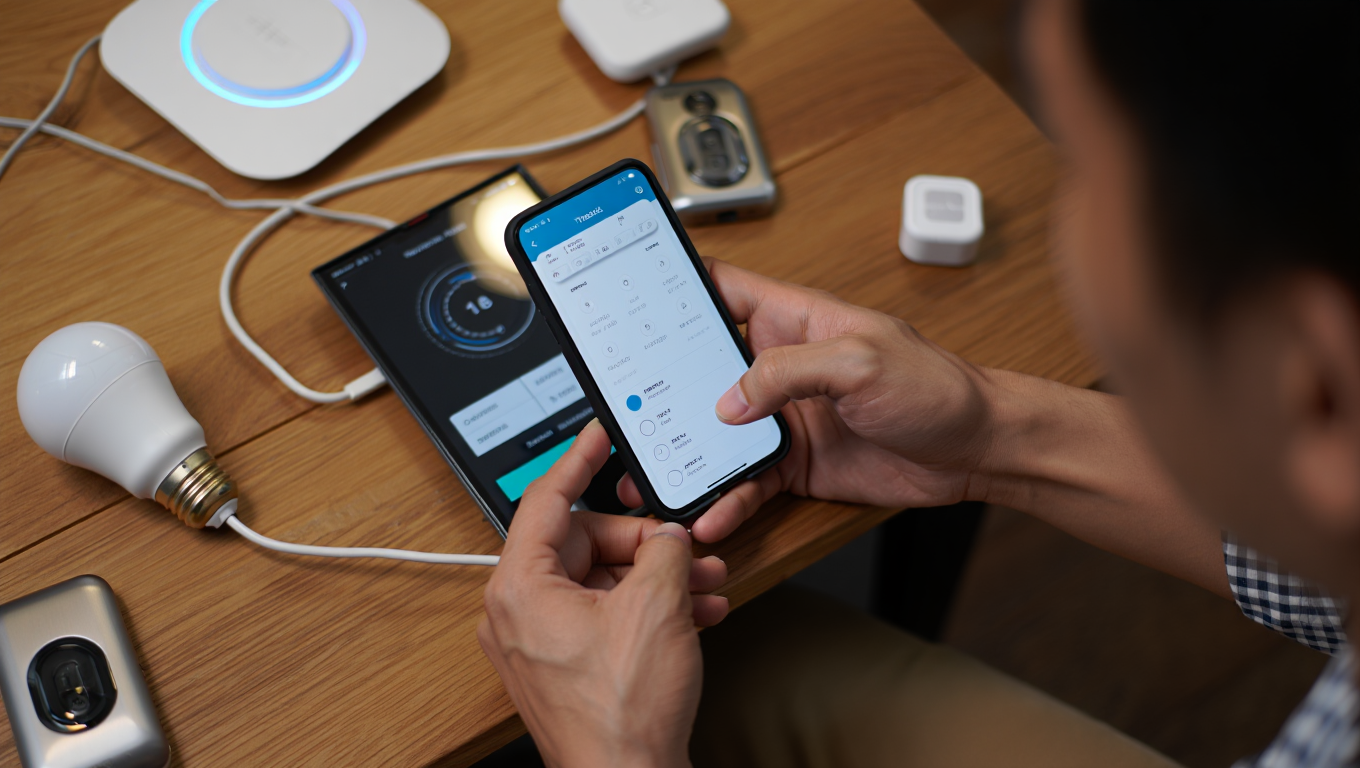
If you use any advanced peripherals—say, AI wearable pins for context-aware controls—be ready to keep their native apps and bridge features for some time; Matter’s scope is powerful but not all-inclusive (yet).
Conclusion
Upgrading to the Matter Smart Home standard in 2024 makes daily life simpler—if you plan carefully, calculate real costs, and avoid partial upgrades that add complexity. With new devices launching fast and major brands now committed to universal compatibility, this is the year the smart home finally moves closer to “just working”—but only if you upgrade deliberately and keep expectations grounded.
If you want deeper guides on selecting compatible hubs, maximizing automation, and integrating smart entertainment hardware, check out our comparisons of mini gaming PC setups and open ear audio gear. Ready to make your Matter Smart Home transition easier? Start with your device audit using the checklist above—or reach out for personalized advice below.
Frequently Asked Questions
Can I upgrade my existing Zigbee or Z-Wave devices to Matter?
Only some devices can be updated via firmware, if supported by the manufacturer. Many older Zigbee and Z-Wave devices require a new Matter-compatible bridge or must be replaced.
Do I need a Thread border router for a Matter Smart Home?
It’s highly recommended. Successful Matter mesh networks—especially in homes with more than a few devices—almost always use a Thread border router, like an Apple HomePod Mini, compatible Google Nest device, or Eero router.
Will all my automations migrate to Matter automatically?
No. Many complex automations, scenes, or workflows set up in old vendor hubs or apps will need to be rebuilt in the new Matter app/platform. Make sure to document your previous setups first.
Does Matter support all smart home product types?
Matter covers lighting, locks, thermostats, and sensors best in 2024. Security cameras, appliances, and entertainment devices are being added gradually—but advanced features may still require using vendor-specific apps.
Can Matter devices work offline if my Internet is down?
Yes, local control is a core Matter feature. Most automations and direct device commands will still work without an Internet connection, provided your hub is online within your local network.