


Smart Baby Monitor technology is revolutionizing how new parents keep their babies safe, blending AI-powered insights, real-time alerts, and advanced privacy measures in 2024’s rapidly expanding market.
Key Takeaways
- The smart baby monitor market is booming in 2024, with over $1.4 billion in global sales and growing adoption among tech-savvy new parents.
- Nanit Pro leads for accuracy and AI-driven sleep tracking, but user experiences reveal nuanced pros, cons, and privacy concerns across all leading brands.
- Pediatric experts offer cautious guidance—highlighting both the value of real data and the risks of overdependence or false alarms.
- 2024 Market Overview: How Popular Are Smart Baby Monitors?
- What Makes Nanit Pro and Similar Baby Monitors Stand Out?
- How Does Nanit Pro’s Tracking Technology Actually Work?
- Real-User Concerns: What Do Parents Actually Say?
- Privacy and Data Security: Is Your Baby’s Data Safe?
- The Real Cost: Purchase Price and Ongoing Fees in 2024
- What Competitors (and Their Articles) Don’t Tell You
- Do Pediatric Sleep Experts Recommend Smart Baby Monitors?
- Conclusion: How to Choose the Best Smart Baby Monitor in 2024
- FAQ: Smart Baby Monitors 2024
2024 Market Overview: How Popular Are Smart Baby Monitors?
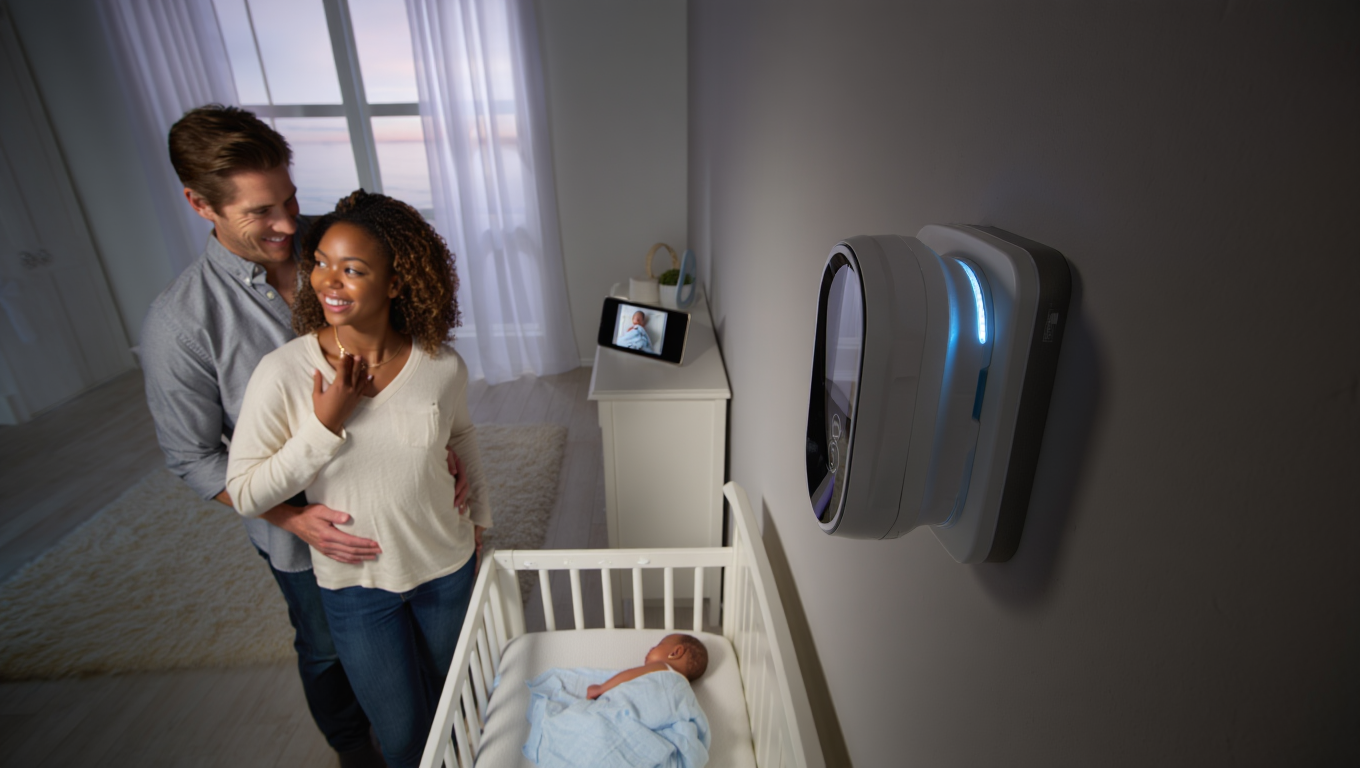
Smart baby monitor adoption is soaring in 2024, driven by new parents seeking real-time insights into their baby’s sleep and breathing patterns. According to the Smart Baby Monitors Market Report 2024-2030, global sales hit $1.4 billion last year and are projected to reach $2.1 billion by 2030. Another industry analysis pegs the market at $1.19–$1.4 billion, with annual growth rates ranging from 4.7% to over 10% (source). Recent surveys suggest that more than 60% of new parents now use some form of smart baby monitor, and among them, models with integrated sleep and breathing tracking are becoming the default.
The demand is fueled by tech improvements, pandemic-era focus on home wellness, and the influence of parent communities online. It’s a product category that is maturing fast—both in hardware quality and software innovation. For a wider look at connected home wellness, see our Smart Body Scale 2024 Review.
What Makes Nanit Pro and Similar Baby Monitors Stand Out?
The Nanit Pro baby monitor continues to hold the spotlight due to its advanced features and robust app ecosystem. While most monitors offer video and sound, Nanit Pro pushes further with:
- Clear HD video with night vision
- AI-powered sleep analytics (tracking duration, motion, and sleep quality)
- Non-contact breathing monitoring using a patterned swaddle or wearable
- Two-way talk and environmental sensors (temperature, humidity)
- App-based access, growth tracking, and personalized sleep coaching
Competing models like the Owlet Dream Duo, Miku Pro, and CuboAI offer alternatives with varying approaches to sleep and breathing tracking. Some (like Miku Pro) utilize sensorless, radar-like motion tracking, while others (like Owlet) require wearables for health metrics. Nanit’s beltless breathing wear stands out for comfort, though some parents report varying accuracy. Device and app integration remains a key buying factor—connectivity glitches or app outages can make or break a parent’s trust.
For a look at adjacent health tracking trends, see our guide on Smart Ring Health Tracker alternatives gaining traction in 2024.
How Does Nanit Pro’s Tracking Technology Actually Work?
Nanit Pro deploys a computer vision algorithm trained to monitor your baby’s movement and breathing—without any wires or sensors on the skin. The camera recognizes the unique pattern on approved Nanit Breathing Wear (like the swaddle or band), monitoring small chest movements to estimate breaths per minute. Parents receive instant alerts via the app if motion stops or becomes irregular, and all data is compiled into actionable sleep reports.
This contrasts with other smart baby monitors:
- Owlet Dream Duo: Requires a wearable sock for pulse and sleep data—some parents dislike extra clothing or charging needs.
- Miku Pro: Completely contactless using radar, but users sometimes find the technology overly sensitive to shadows or environmental movement.
- CuboAI: Focuses on hazard alerts (face covering, rollover) but does not directly track breathing rate.
Comparative studies and parent reviews (see this honest parent survey) frequently praise Nanit for clarity of alerts and clean user interface, but occasional critiques point out accuracy differences, especially with wiggly or older babies.
For the best experience, make sure your home WiFi is robust—a WiFi 7 Router can help eliminate streaming lag or app disconnections.
Real-User Concerns: What Do Parents Actually Say?
Even top-rated monitors like Nanit Pro and Miku Pro are not without criticism. Aggregated reviews across Amazon, Reddit, and parenting forums highlight a consistent set of pros and cons:
- Accuracy glitches: Reports of occasional missed motion or false alarms (roughly 7-10% of reviews mention this across brands).
- Connectivity issues: WiFi drops, app crashes, or needing to reset devices after firmware updates.
- App usability: Some parents find night mode cumbersome, or dislike account-required cloud storage.
- Privacy/security: worries about video streams being intercepted, cloud data breaches, or unclear data retention policies.
- Customer service: Mixed—some users find prompt support, others cite slow, frustrating experiences, especially with warranty replacements.
Negative reviews are far from rare. A look at verified complaints in 2023 and 2024 suggests that while most find peace of mind, at least 10-15% of parents experience at least one serious hiccup. For smart baby monitor troubleshooting, familiarity with app settings and WiFi basics is essential. For troubleshooting tips across connected devices, check out our resource on Matter Smart Home integration.
Privacy and Data Security: Is Your Baby’s Data Safe?
When it comes to smart baby monitor privacy and security, Nanit Pro states the use of end-to-end encryption for video streams, servers hosted in SOC 2-certified facilities, and compliance with both GDPR and CCPA regulations. Parents can enable two-factor authentication and restrict device access through the app. That said, the industry faces ongoing criticism over unclear retention policies and the potential for cloud server breaches.
Compared to leaders:
- Nanit: End-to-end encryption, privacy transparency, but relies on US-based cloud storage.
- Miku Pro: Local AI processing, but video and alerts still go through the cloud for mobile notifications.
- Owlet: Good device-level security but less robust transparency about data retention.
Parents concerned with privacy should look for manufacturer disclosure on encryption standards and check for routine firmware updates. For those who prioritize self-hosted smart technology, see our deep dive on E-Ink (offline) tablets for children’s learning without constant connectivity.
The Real Cost: Purchase Price and Ongoing Fees in 2024
The actual cost of a smart baby monitor goes far beyond hardware. Here’s a snapshot of Nanit Pro and competitors (2024 pricing):
| Monitor | Base Price | Subscription | Key Accessories | Real 1st-Year Cost* |
|---|---|---|---|---|
| Nanit Pro | $299–$379 |
Insights Basic: Free Insights Premium: $5–$10/mo ($50–$100/yr) |
Breathing Wear: $20–$50 | $350–$470 |
| Miku Pro | $399 | None (free AI analytics) | Mount $25–$50 | $425–$450 |
| Owlet Dream Duo | $399 | Dream App: $8/month (analytics) Free basic stream |
Smart Sock: included | $399–$495 |
| CuboAI Plus | $299–$329 | Free (limited cloud), Premium $8/mo | Stand, sensor accessories | $299–$405 |
*Based on hardware, one accessory, and at least 6 months of premium analytics for Nanit/Owlet.
Nanit’s “Insights” subscription is optional, but many parents opt in for extended video history, sleep data analysis, and sharing with doctors. If you expect long-term use (multiple kids), hardware durability and rolling subscription discounts can factor into the real value. For ongoing smart-home costs, compare with portable devices in our Portable Monitor 4K Buyer’s Guide.
What Competitors (and Their Articles) Don’t Tell You
Most “top 5 baby monitor” articles gloss over the issues that emerge after months of use. Smart home integration, advanced troubleshooting, and customer service are rarely covered in-depth:
- Smart Home Integration: Only Nanit and CuboAI explicitly support limited Alexa or Google Home routines (such as turning on nursery lights). If you want seamless experience, ensure device API openness or Matter support. We’ve reviewed the evolution in our Matter Smart Home Upgrade Guide.
- Advanced Troubleshooting: Many WiFi and app bugs don’t surface in “out of box” reviews. Regular firmware updates can cause temporary connection loss, factory resets may be required, and not every monitor handles mesh WiFi networks well. Keep router firmware up to date and know how to re-pair devices quickly.
- Customer Service Experiences: Parent reviews show variability—some brands respond within 24 hours, others may take weeks for warranty actions. Save all purchase documentation and register devices promptly.
For a broader view on ecosystem cross-compatibility, our AR Smart Glasses review covers similar smart-home integration pitfalls with emerging tech.
Do Pediatric Sleep Experts Recommend Smart Baby Monitors?
The American Academy of Pediatrics (AAP) does not officially endorse smart baby monitors for SIDS prevention, stating that while they offer peace of mind, they should never replace safe sleep best practices (firm crib, back sleeping, no blankets). Pediatricians often agree these devices can reduce parental anxiety and help track sleep trends—but caution against over-reliance.
Recent guidance (2023–2024) from pediatric sleep experts includes:
- Use smart monitors for supplementary insight—not as a medical diagnostic or substitute for direct supervision.
- Be wary of false alarms or missed alerts, especially during WiFi outages or firmware updates.
- Share sleep and breathing data with your child’s healthcare provider when relevant—but don’t obsess over micro-trends.
- Maintain safe sleep practices, regardless of technology in use.
For a global look at connected health, our Portable AI Translator review breaks down the privacy and accuracy shift in smart devices across borders.

Conclusion: How to Choose the Best Smart Baby Monitor in 2024
Choosing a smart baby monitor today means weighing real-world reliability, app experience, privacy, and cost—far more than just “does it stream video.” The Smart Baby Monitor category now delivers robust analytics, AI sleep coaching, and breathing tracking. But be prepared for periodic technical hiccups, subscription upsells, and the need to review security settings.
Ready to invest in a smarter baby monitor? Identify your must-haves, test connectivity in your actual nursery, and don’t skip the fine print on subscriptions or privacy. Compare at least two top models—including Nanit Pro and a leading alternative—and monitor your baby’s sleep with both technology and your own intuition in mind.
For buyers seeking the next wave in wellness gadgets, check our reviews of AI wearable pins and kitchen health tech.
FAQ: Smart Baby Monitors 2024
Are smart baby monitors safe to use for newborns?
Yes, when used as directed. Top brands like Nanit and Miku Pro use non-contact or external wearables—nothing invasive. Always double-check with your pediatrician for your baby’s unique health needs.
Do I need a subscription for Nanit Pro to get sleep and breathing analytics?
Nanit Pro offers basic video streaming and limited daily analytics for free. To unlock full sleep reports, historical data, and sharing options, you’ll need the paid Insights subscription (Basic or Premium).
Can hackers access my baby monitor feed?
It’s rare, but possible if your WiFi or account passwords are weak. Choose a monitor with end-to-end encryption, enable two-factor authentication, and update its firmware regularly to reduce risks.
Will a smart baby monitor work without WiFi?
Most features—including live video and remote alerts—depend on WiFi. Some models offer direct device streaming in case of an internet outage, but cloud-based analytics and history require an active connection.
What’s the best way to troubleshoot connection issues?
Start by checking your router placement and bandwidth. Restart both the monitor and your app, and ensure all software is updated. Mesh networks may need custom settings for stable streaming.
Step-by-Step Guide: Choosing & Setting Up a Smart Baby Monitor
Making sense of ever-evolving smart baby monitor choices in 2024 isn’t easy. Here’s a clear process to follow when buying and deploying your first high-tech monitor:
- Research & Shortlist: Compare top brands—Nanit Pro, Miku Pro, Owlet Dream Duo, CuboAI—scrutinizing features, app experiences, and privacy standings.
- Read Real-World Reviews: Focus on recent parent feedback for accuracy, app reliability, and customer service. Don’t just trust tech bloggers; use valid parent surveys like this honest roundup from over 50 families.
- Evaluate Subscription Upsells: Decide if paid analytics are necessary for your peace of mind or if basic streaming/reporting suffices.
- Test Connectivity Before Baby Arrives: Place the monitor in your nursery, check range, video lag, and app reactivity on both WiFi and cellular data.
- Enable and Review Privacy Settings: Turn on two-factor authentication, limit shared users, and set alerts only for essential events to reduce notification fatigue.
- Practice Troubleshooting: Know how to restart the monitor, update firmware, and re-link to your network before any actual emergency.
- Share Only What’s Needed: If sharing feeds or sleep reports with caregivers or doctors, review access logs regularly for unusual activity.

Advanced Analysis & Common Pitfalls
While the promise of a smart baby monitor is appealing, experience shows that not all products—or setups—work as seamlessly as promo videos suggest. Here’s what the data and user reports reveal about the pitfalls and how to avoid them:
- WiFi Dependency: 1 in 10 parents report missed alerts or unreliable video if home WiFi is weak or congested. Try a router upgrade or a secondary backup hotspot for redundancy.
- False Alarms: Fast-moving babies or unique sleep positions trigger false “no motion detected” notifications. This can lead to parental anxiety and interrupted sleep.
- Subscription Upsell Fatigue: Many premium features—like sleep trend graphs or extended video history—require paid subscriptions, which can add up to $100 or more annually.
- Firmware Update Outages: Interrupted or automatic firmware updates can briefly disable monitoring. Change update settings to manual and perform over a wired connection when possible.
- Privacy Fatigue: It’s easy to ignore security notices. Audit your device and app permissions every quarter.
| Pitfall | Impact | Prevention |
|---|---|---|
| Weak WiFi | Missed alerts, video freezes | Use 5GHz network, mesh WiFi |
| Account Hacking | Unauthorized stream access | Two-factor authentication, unique passwords |
| App Bugs | Crashes, notification loss | Keep app updated, report glitches early |
| Accessory Wear | Breathing wear becomes loose or unreadable | Inspect weekly, replace as needed |
—